Leaf table manipulations#
This section focusses on working with existing scenes rather than generating new ones.
In deadleaves, each scene is represented by a leaf table: a pandas DataFrame where each row contains a single leaf’s geometry parameters (and optionally appearance).
The LeafTopology class treats this table as a mutable scene description, allowing you ti rebuild or modify segmentation maps directly from the stored parameters - without resampling leaves.
LeafTopology is designed for advanced workflows where scenes need to be edited, combined, or reinterpreted after generation,
Typical use cases include merging independently generated scenes, changing occlusion order by reassigning leaf_idx, applying transformations or motion to existing leaves, and editing or relabeling individual leaves.
(Re)Construct a segmentation map#
A segmentation map can always be reconstructed from a leaf table.
Rebuilding the segmentation is useful whenever the table changes or is reused in a new context. For example, you might load a previously saved table from disk, edit leaf parameters such as position or size, merge multiple scenes into a composite structure, or generate a sequence of frames where leaves move over time. In all of these cases, the geometry does not need to be resampled — the segmentation is simply recomputed from the updated table.
This separation lets you treat the leaf table as an editable scene graph and the segmentation as an implementation of that graph.
topology = LeafTopology(image_shape=(512,512))
segmentation_map = topology.segmentation_map_from_table(leaf_table)
This feature is in particular used if a leaf table is passed to the ImageRenderer without a segmentation map.
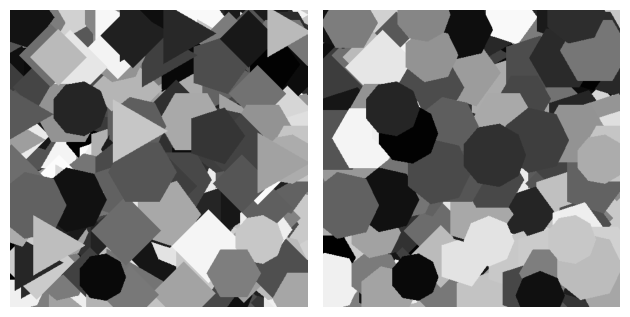
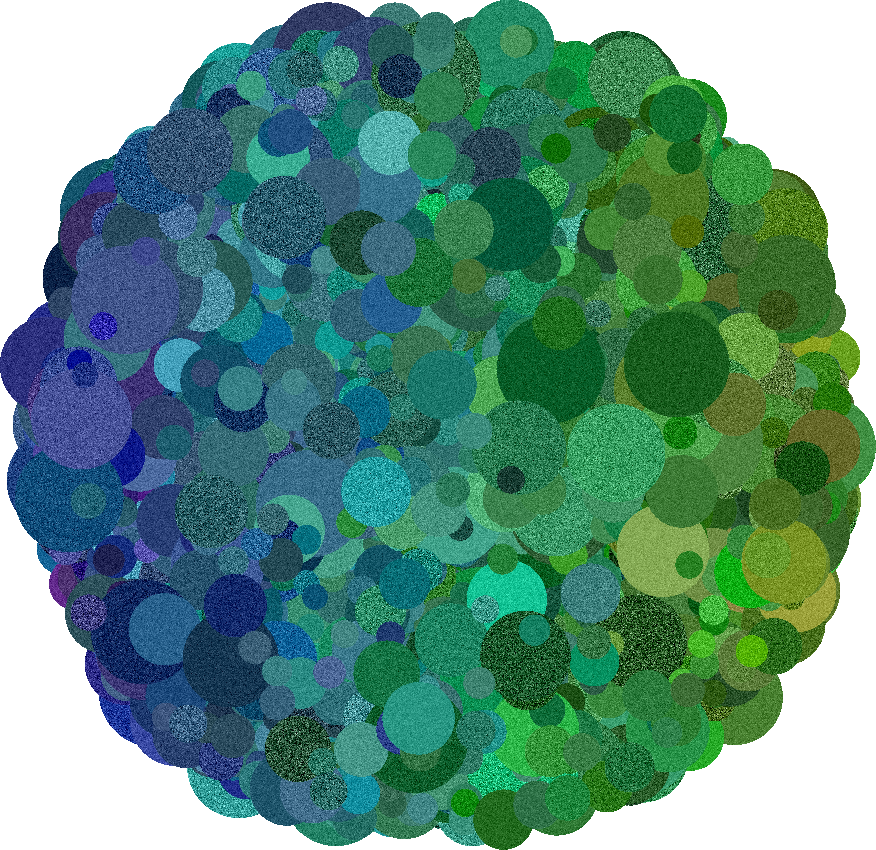
Example: Circular motion
Merge leaf tables#
Merging leaf tables allows you to combine multiple independently generated dead leaves scenes into a single composite scene.
The operation concatenates all rows, preserves every geometric and appearance attribute, and assigns a consistent leaf_idx so that the combined scene has a valid global occlusion order.
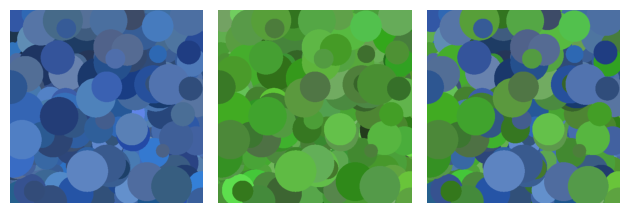
This is useful when different parts of a scene should follow different statistics or roles. For example, you might generate one table describing a structured proto-object and another describing background clutter, then merge them to create a scene where both regimes coexist. Because all attributes are preserved, the merged table still contains the full parametric description of every leaf and can immediately be turned back into a segmentation map.
Example: Merging images with different appearances
Reassign leaf indices#
Leaf indices (leaf_idx) determine occlusion order and therefore control which leaves appear in front of others.
Reassigning indices lets you modify depth structure without changing any geometric or appearance parameters.
This is useful for generating control conditions, testing robustness to layering, or reorganizing scenes while preserving semantic grouping.
Several index operations are available depending on how much structure you want to keep.
Global randomization#
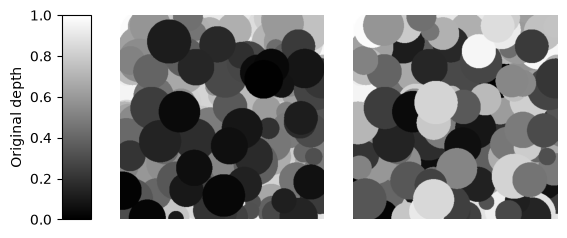
The method ignores all prior structure and shuffles depth across the entire scene. All attributes are preserved, but layering becomes fully random.
randomized_table = LeafTopology.randomize_index(leaf_table, seed=42)
Example: Shuffle leaf depth
Reindex by group#
This method reindexes or shuffles depth locally within semantic groups, defined in one of the table columns. This preserves object-level structure but varies internal layering. Useful if you want a certain set of leaves in the foreground.
shuffled = LeafTopology.reindex_by_group(
    leaf_table,
    groupby="type",
    shuffle=True,
    group_order="ascending",
    seed=42
    )
Example: Order leaves by shape