Textures#

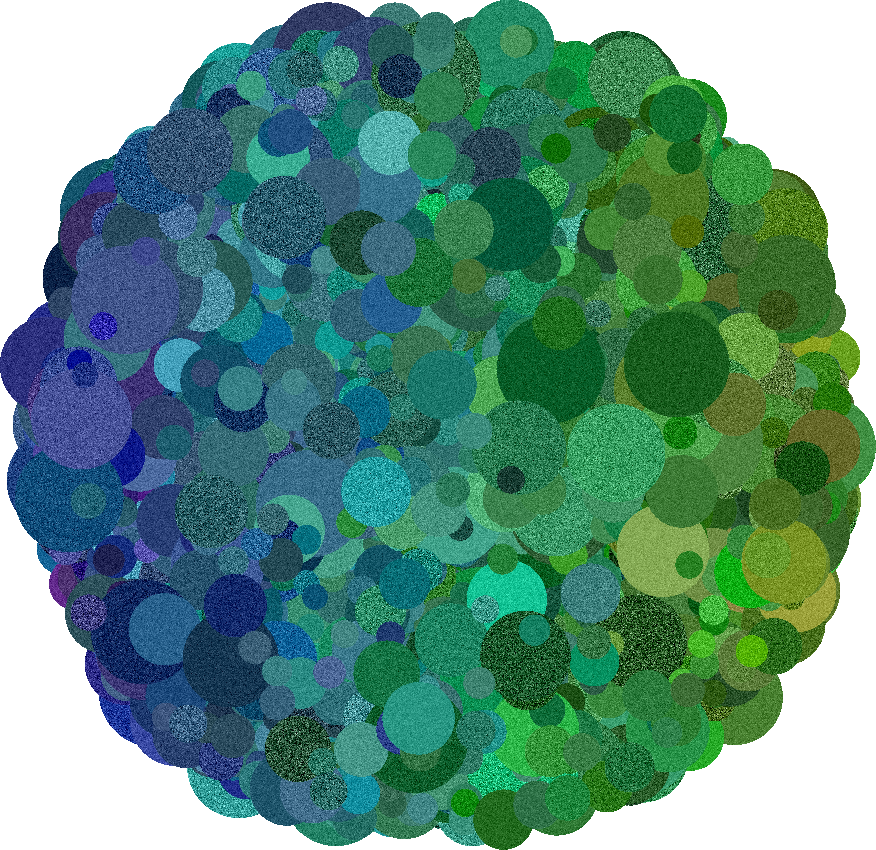
Textures add variation to the color of each leaf, giving images more realism and complexity. They can be applied as noise or by using predefined texture patches. Texture parameters are passed via the texture_param_distributions dictionary when sampling texture from a LeafAppearanceSampler.

Noise#

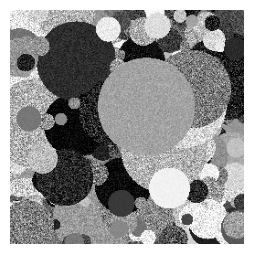
Noise textures are generated by sampling values from a given distribution for each pixel and adding them to the color of the leaf. Noise can be applied in any of the supported color spaces (gray, RGB, HSV), texture and color space do not have to be the same. Noise texture is parameterized in a hierarchical fashion, such that the noise parameters are sampled for each leaf independently. For example, Gaussian noise per leaf in gray-scale:

{
    "gray": {"normal": {"loc": 0.0, "scale": <distribution>}}
}
  • Effect: Each leaf has an independent texture variation.

  • Use case: Images with heterogeneous textures across objects.

Example
Hide code cell source

from deadleaves import LeafGeometryGenerator, LeafAppearanceSampler, ImageRenderer

model = LeafGeometryGenerator(
    "circular", 
    {"area": {"powerlaw": {"low": 100.0, "high": 10000.0, "k": 1.5}}},
    (256, 256)
)
leaf_table, segmentation_map = model.generate_segmentation()

colormodel = LeafAppearanceSampler(leaf_table)
colormodel.sample_color({"gray": {"uniform": {"low": 0.0, "high": 1.0}}})
colormodel.sample_texture({"gray": {"normal": {"loc": 0, "scale": {"uniform": {"low": 0.01, "high": 0.2}}}}})

renderer = ImageRenderer(colormodel.leaf_table, segmentation_map)
renderer.render_image()
renderer.show(figsize = (3,3))
../_images/820dc27f8ab0cff42cfdf4d0f632a91249b0e90a028c3c5fe1361a986ca6aeab.png

From texture patches#

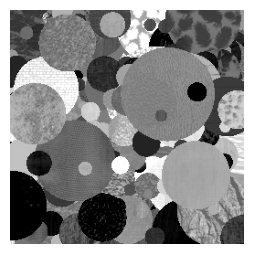
You can also apply textures using predefined gray–scale patches. Each leaf is assigned a patch and blended with its color using an alpha value:

{
    "source": {"image": {"dir": <value>}},
    "alpha": <distribution>
}
  • dir: Path to the folder containing texture images.

  • alpha: Blending factor controlling how strongly the texture is applied.

  • Effect: Each leaf receives a sampled patch, creating complex and realistic surface patterns.

  • Use case: Generate images that mimic real-world textures or artistic styles.
Hide code cell source

from deadleaves import LeafGeometryGenerator, LeafAppearanceSampler, ImageRenderer

model = LeafGeometryGenerator(
    "circular", 
    {"area": {"powerlaw": {"low": 100.0, "high": 10000.0, "k": 1.5}}},
    (256, 256)
)
leaf_table, segmentation_map = model.generate_segmentation()

colormodel = LeafAppearanceSampler(leaf_table)
colormodel.sample_color({"gray": {"uniform": {"low": 0.1, "high": 0.9}}})
colormodel.sample_texture(
    {
        "source": {"image": {"dir": "../../examples/textures/brodatz"}},
        "alpha": {"normal": {"loc": 0.0, "scale": 0.5}},
    }
)

renderer = ImageRenderer(colormodel.leaf_table, segmentation_map)
renderer.render_image()
renderer.show(figsize = (3,3))
../_images/2b16e943eb6ef96df24ed462f7f534619e7ccc017db932a10cfdd62c45da34d9.png